
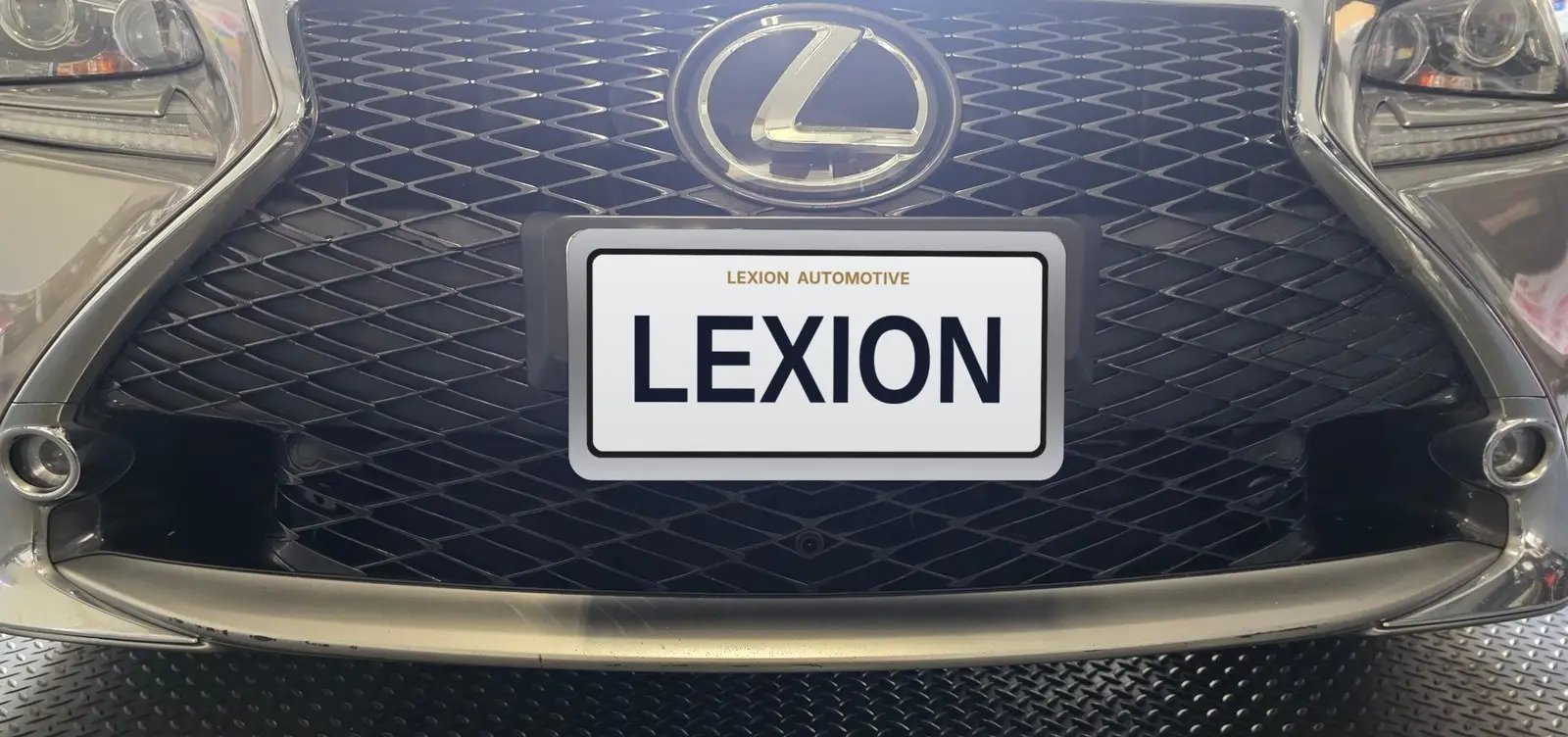
Your 2015–2018 Lexus RC is a fantastic car, but the factory 7-inch screen and Remote Touch infotainment feel dated next to any modern phone. In this guide we walk through a real install of the Lexion LX10S on a 2015 RC 350 F Sport: a 10.25″ HD widescreen with wireless Apple CarPlay and Android Auto, plus optional AHD front and rear cameras. Every photo below comes from the actual install.
Before & After
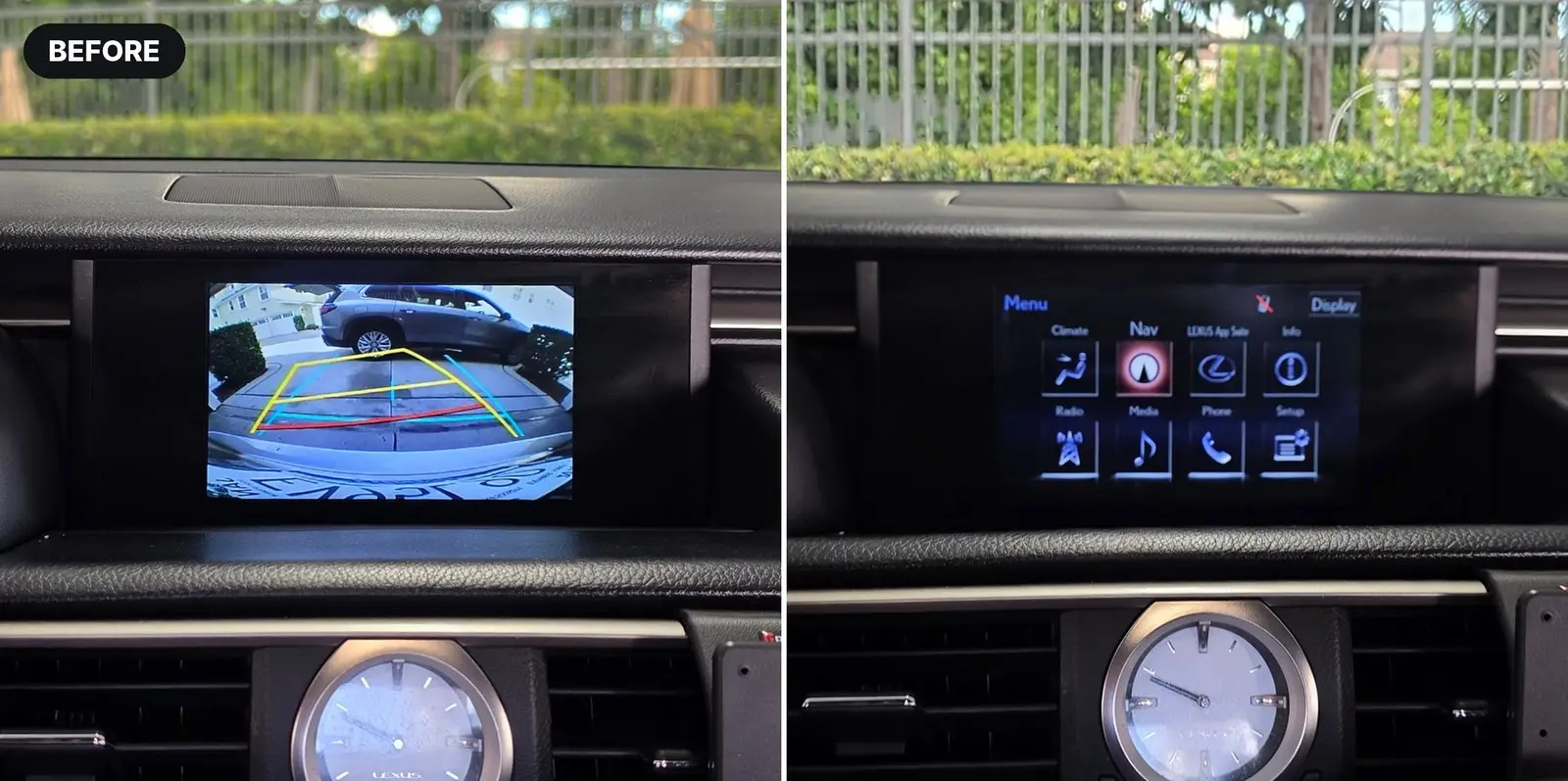
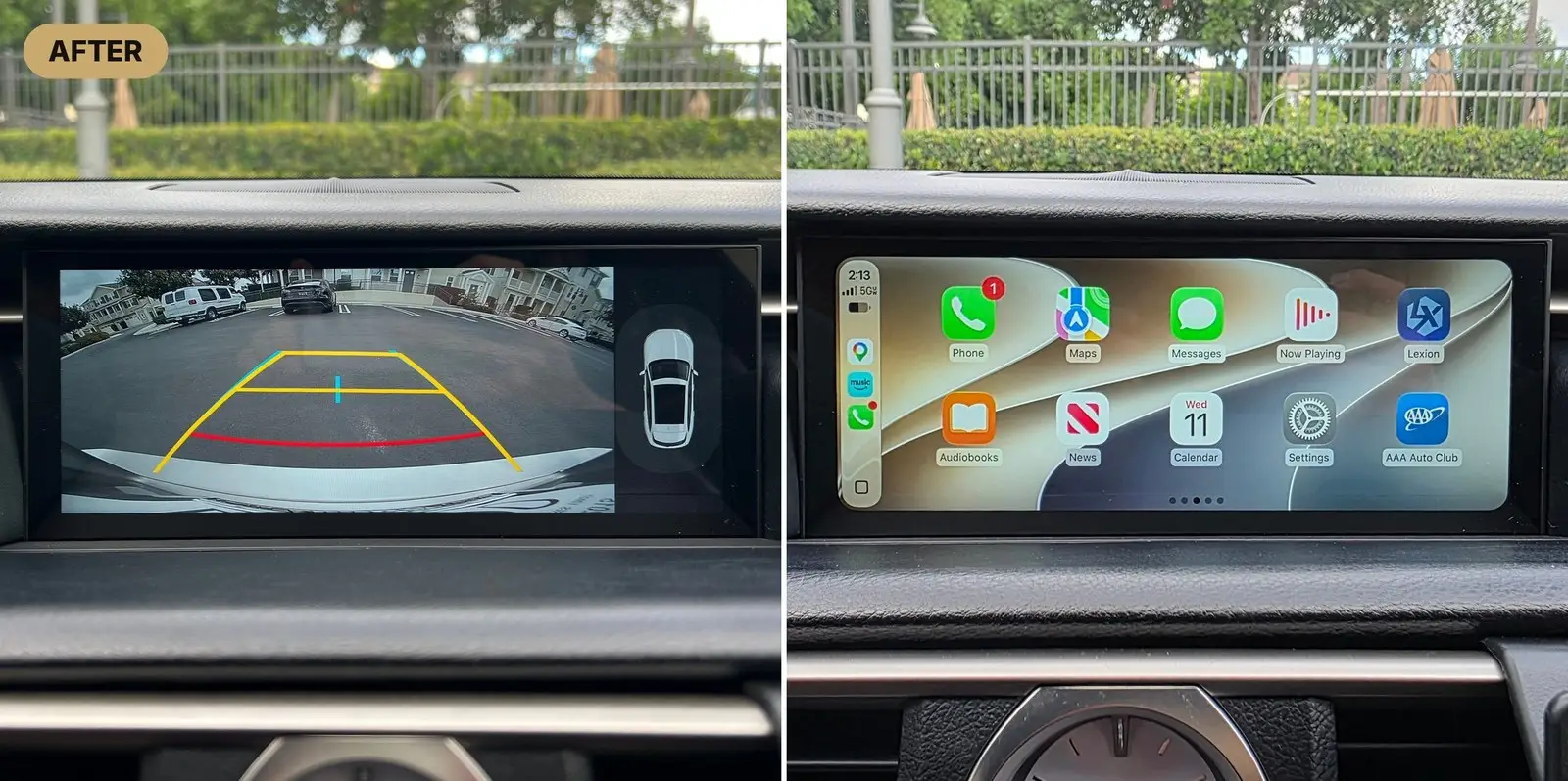
The 10.25″ widescreen fills the dash opening far better than the factory 7″ unit, and the 1920 × 720 panel is noticeably sharper. Most importantly, nothing from the original car is lost — you can switch back to the factory Lexus menu at any time and access every original function.
What You Keep After the Upgrade
- Full factory Lexus menu – Climate, Nav, Radio, Media, Phone, Setup and Lexus App Suite are all still accessible. No features are lost.
- Steering wheel controls – volume, track, calls and Siri / Google Assistant.
- Factory controller – the Remote Touch trackpad or rotary knob keeps working on supported menus.
- Factory audio and microphone – sound plays through your original Bluetooth and speaker system, and calls use the factory hands-free mic.
- Plug & play – dedicated harnesses, no factory radio replacement and no wire cutting.
Why Upgrade the Cameras Too?
Here’s the simple logic: the factory Lexus rear camera belongs to the same aging system as the factory 7″ screen. If the old screen is worth replacing, the low-resolution camera feeding it is too — otherwise you end up with a sharp new 10.25″ HD display showing a blurry, decade-old picture.
And while you’re in there, adding the AHD front camera is what unlocks everything the LX10S can do:
- Auto rear-to-front switching – shift from R to D and the screen jumps from the rear view to the front view automatically.
- Parking-sensor activation – when the front parking sensors detect an obstacle, the front view pops up on its own.
- Garage parking made easy – see exactly how close your bumper is to the wall, curb or anything in front of you.
- HD image with dynamic guidelines – the AHD rear camera is far clearer than the factory unit, day or night.
See it in action: shift into Reverse for the AHD rear view, then shift into Drive and the screen switches to the front camera automatically.
Doing the screen and both cameras together means one install session — about 1.5 hours total — and the full Lexion experience.
Tools Required
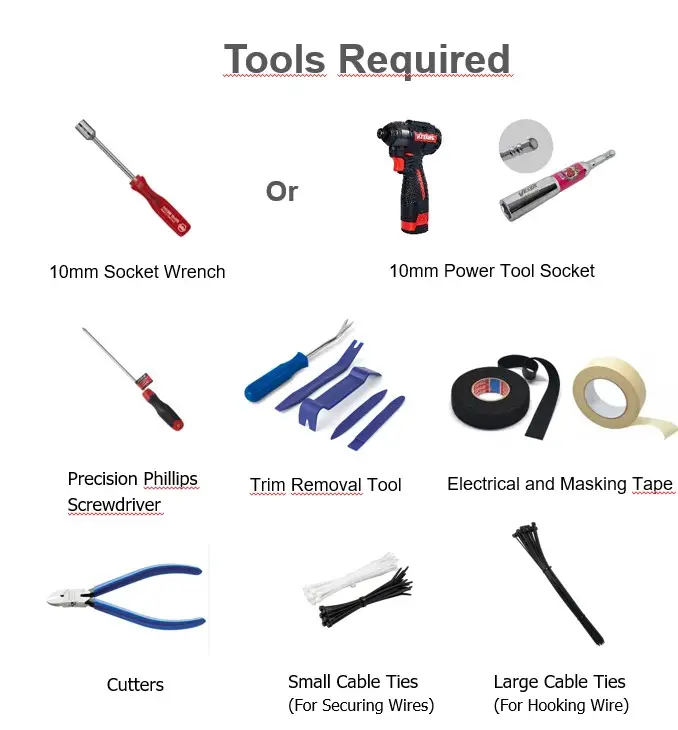
- 10mm socket wrench (or a 10mm socket on a power driver)
- Precision Phillips screwdriver
- Plastic trim removal tools
- Electrical tape and masking tape
- Cutters
- Small cable ties (for securing wires) and large cable ties (for fishing wires)
Pro tip – a cable-tie fish tape: Grab a pack of large cable ties from Walmart or any hardware store and join 2–3 of them end to end. They’re stiff enough to push through tight gaps but flexible enough to follow the body panels — and unlike a metal fish tape, they won’t scratch your paint or interior.
Step 1 – Install the 10.25″ Monitor (~30 min)
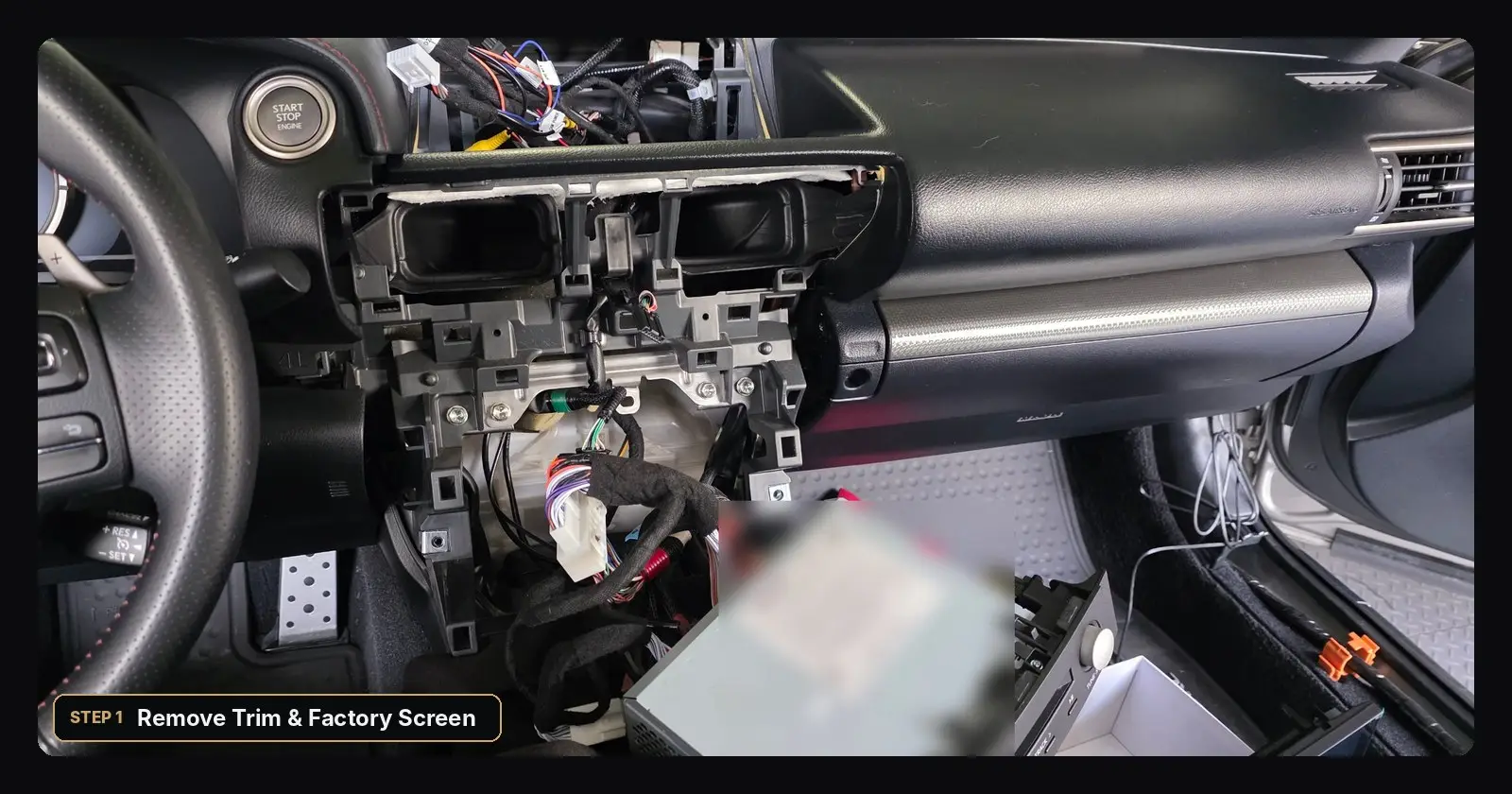
- Use plastic trim tools to release the dash trim around the screen and center vents.
- Remove the 10mm bolts and take out the factory 7″ screen.
- Connect the Lexion plug & play harness to the factory connectors.
- Mount the LX10S on the included bracket, secure loose wiring with small cable ties, and test before reassembling the trim.
Watch: Installing AHD Front & Rear Cameras on a Lexus RC
Step 2 – Upgrade the Rear Camera to AHD (~40 min)
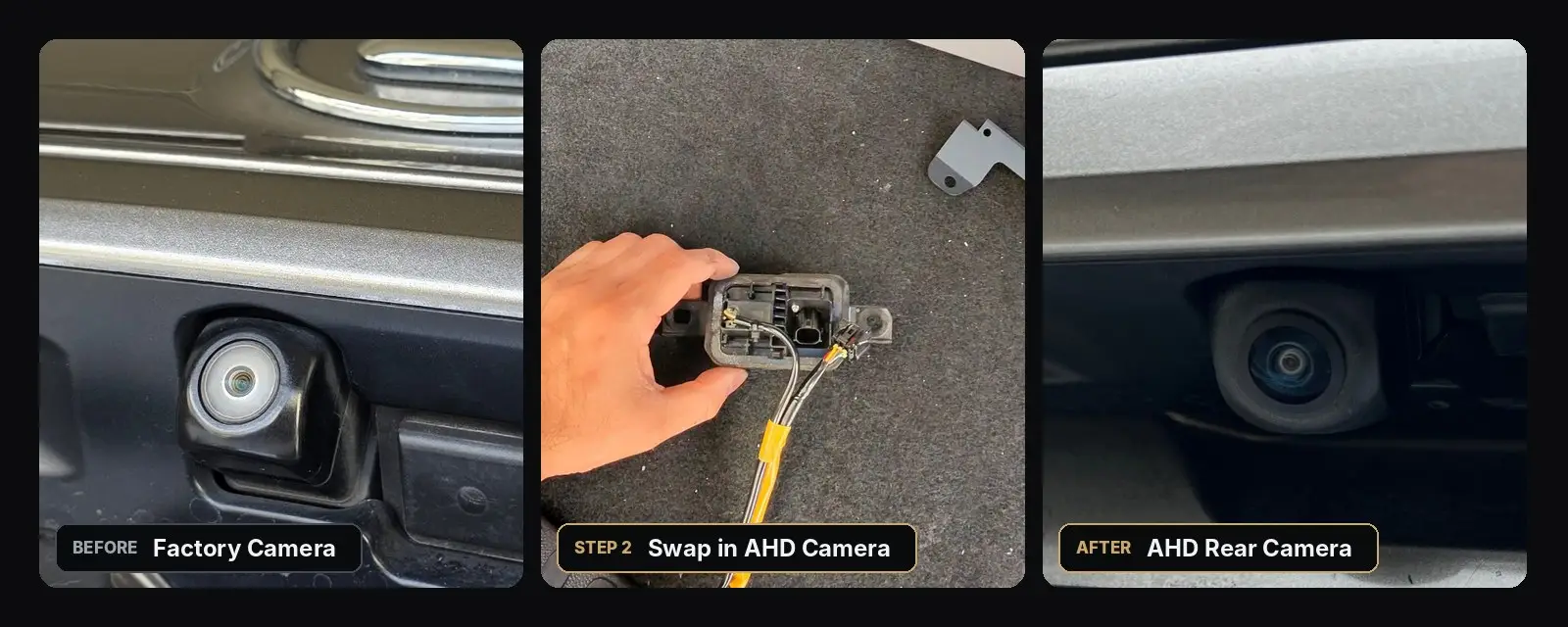
The factory camera lives in the trunk-lid handle assembly. Remove the handle unit from inside the trunk, swap the factory camera for the AHD camera, then route the camera cable through the trunk and cabin to the monitor. The AHD camera adds a much clearer image and dynamic parking guidelines.
Step 3 – Route the Front Camera Cable
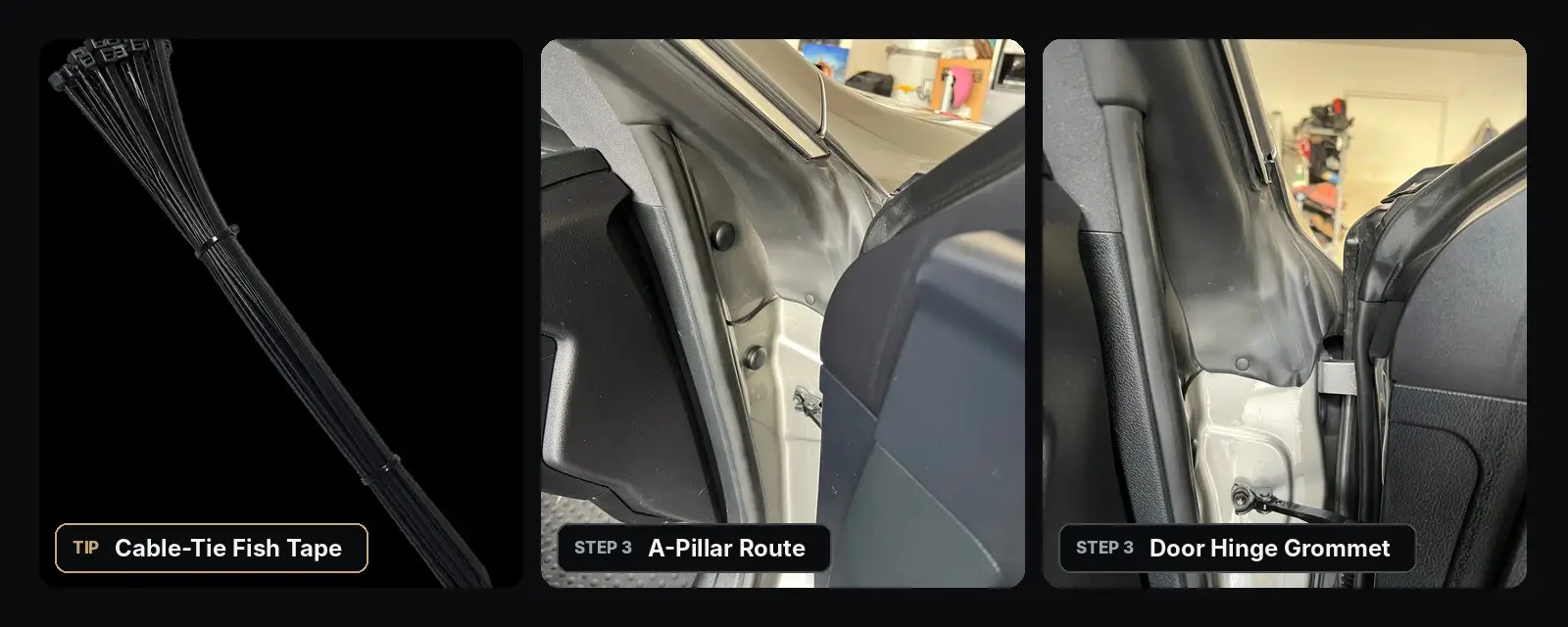
Bring the front camera cable into the cabin along the A-pillar and door-hinge area, using your cable-tie fish tape to pull it through without damaging any panels. Tape the cable along existing harnesses so nothing rattles.
Step 4 – Mount the AHD Front Camera (~20 min)
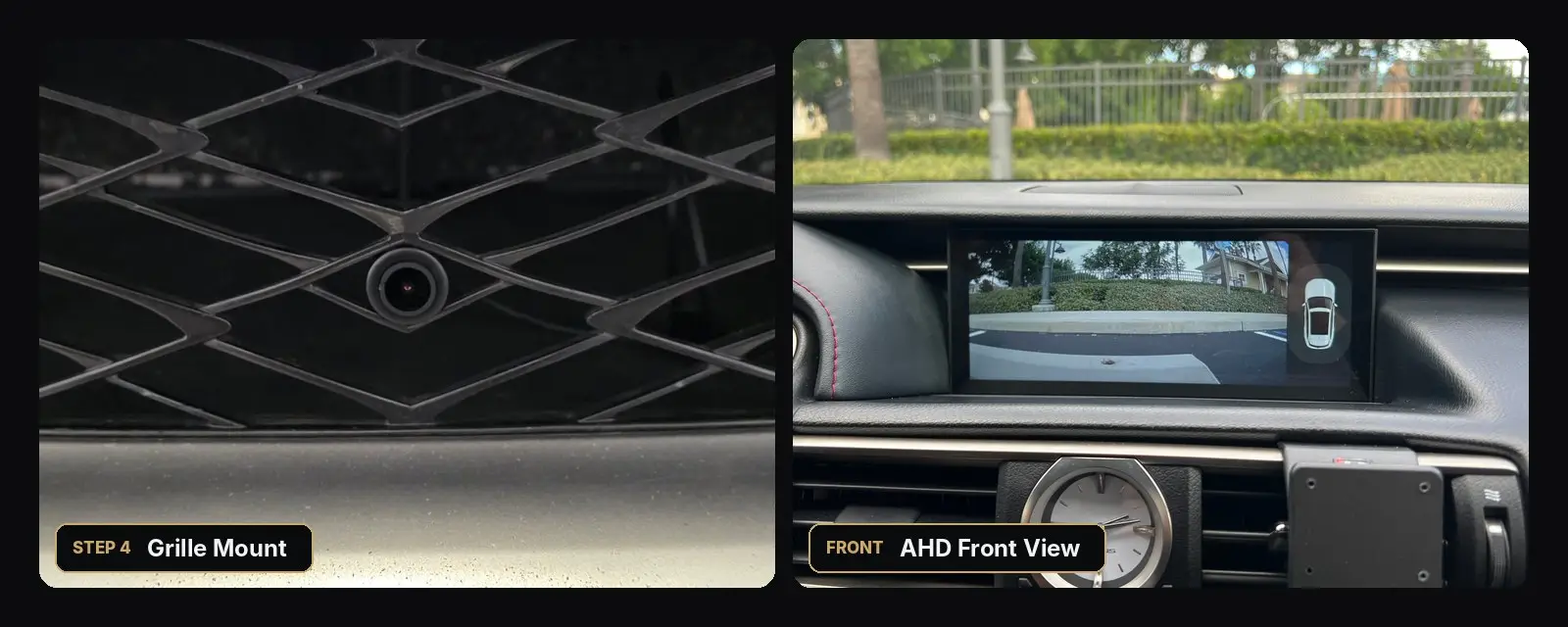
The front camera sits low in the center of the grille, where it blends into the mesh. With both AHD cameras installed, the front view appears automatically after shifting from Reverse to Drive, and you can adjust how long it stays on screen.
The Result
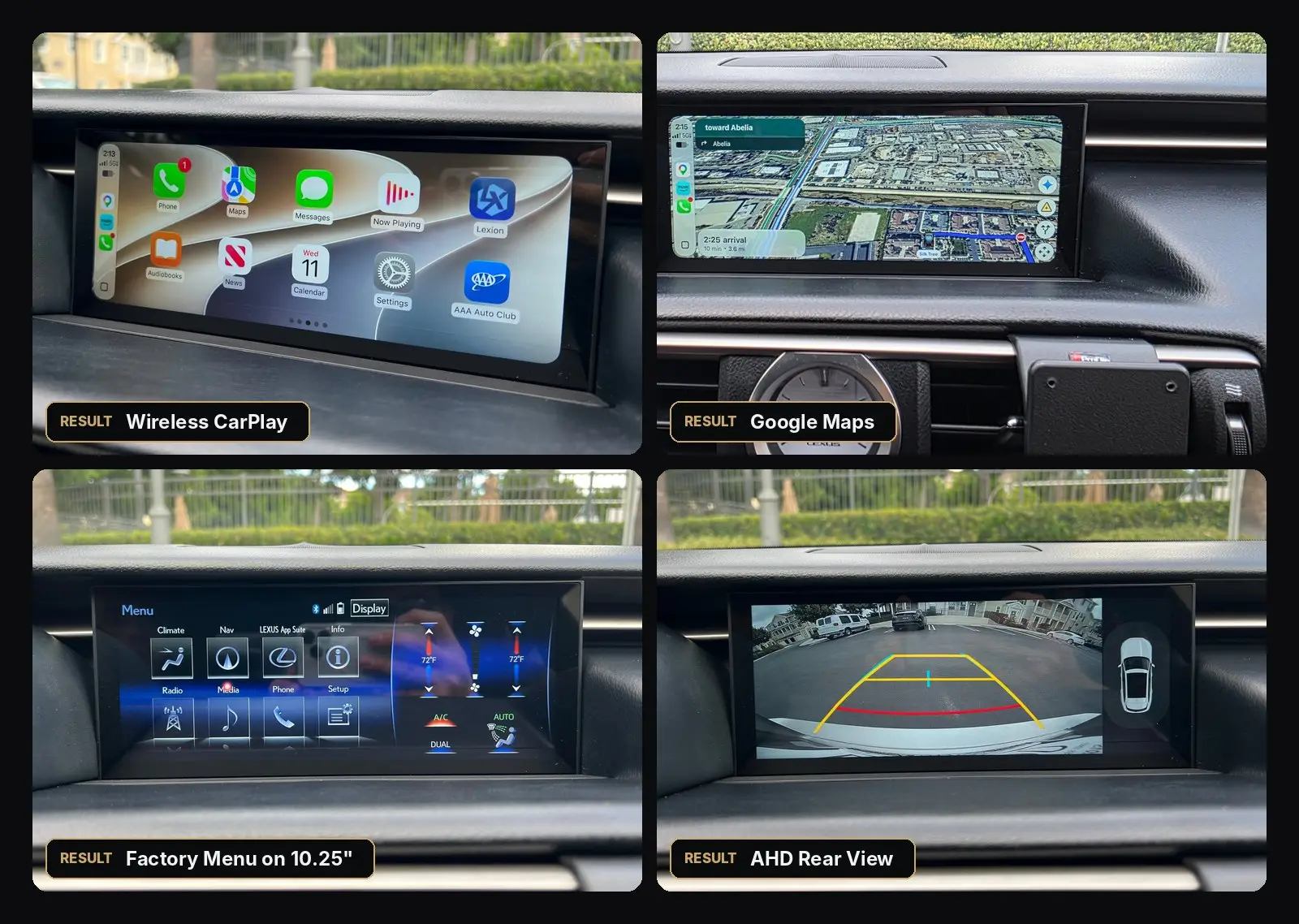
Wireless CarPlay connects automatically, Google Maps and Waze look great on the wide screen, and the factory Lexus menu — including climate controls — is still one tap away.
FAQ
Which Lexus RC years does this fit?
This install covers the 2015–2018 Lexus RC with the factory 7-inch display.
Will I lose any factory features?
No. You can open the original Lexus menu on the new screen at any time and use every factory function, including climate, radio, phone and vehicle settings.
How long does the install take?
About 30 minutes for the monitor, 40 minutes for the rear camera and 20 minutes for the front camera — roughly 1.5 hours for the full package.
Do I need the cameras?
The cameras are optional — the LX10S works with your factory rear camera. But we strongly recommend upgrading: the factory camera is as old as the factory screen, and adding the AHD front camera enables automatic R-to-D front view, parking-sensor front view and much easier garage parking.
Ready to upgrade your RC?
10.25″ HD widescreen, wireless CarPlay & Android Auto, free worldwide shipping and a 3-year warranty.
Shop the LX10S →