
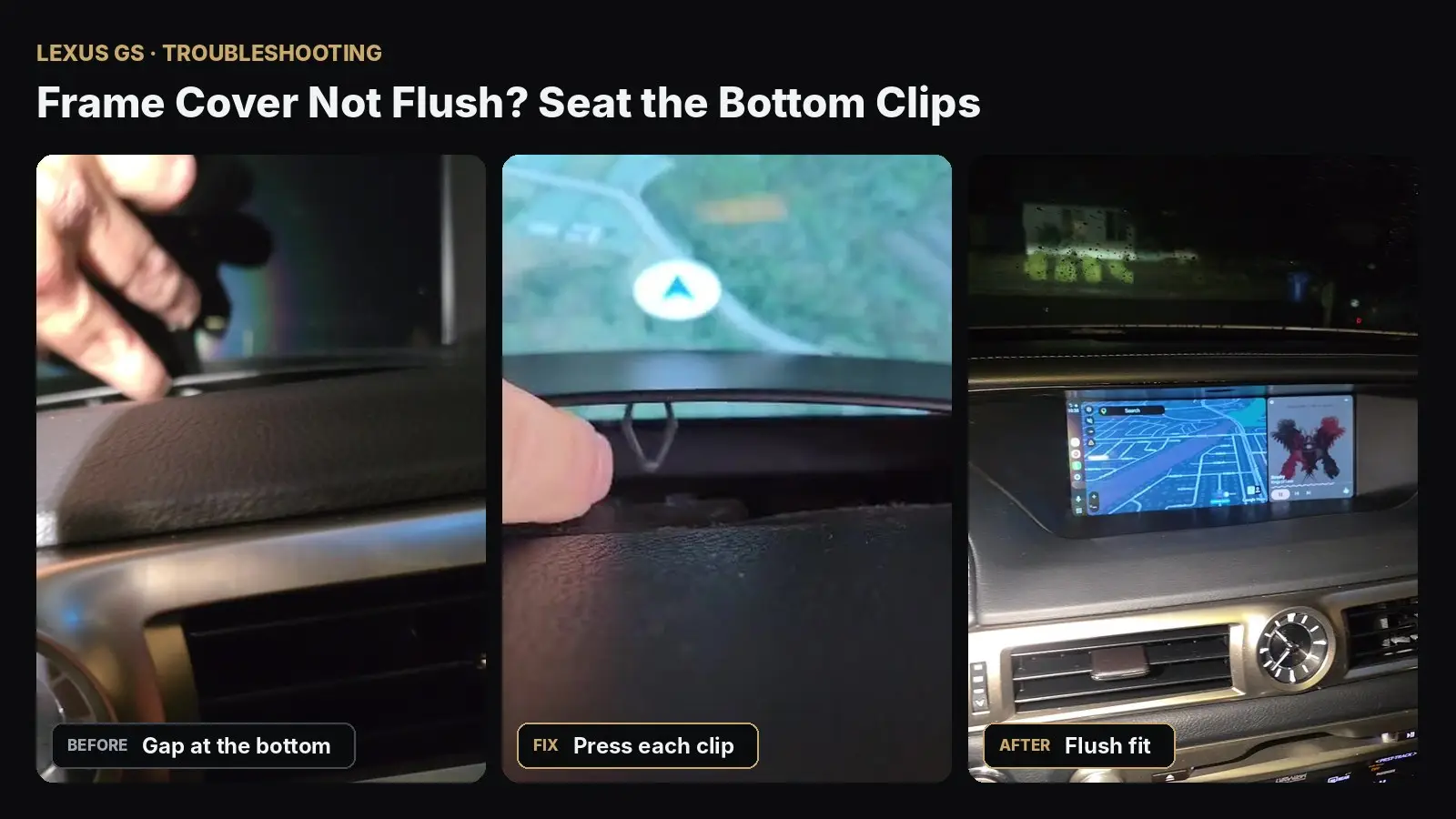
One of the most common questions after installing the Lexion LX10S in a Lexus GS: the plastic frame cover around the new screen doesn’t sit flush and leaves a small gap at the bottom. The cause is almost always the same — the bottom clips of the frame cover aren’t fully engaged. Here’s a real case from a customer, the fix, and the final result.
1. The Problem: a Gap at the Bottom
This is the video a customer sent us after installation. The top of the frame looks fine, but the bottom edge sits slightly raised from the dashboard and moves when you press it.
2. The Fix: Press Each Bottom Clip Until It Clicks
The frame cover has several clips along its bottom edge. During installation it’s easy to seat the top clips first and leave the bottom ones only half-engaged.
- Make sure the top of the frame cover is already seated.
- Starting from one side, press firmly on the bottom edge of the frame directly over each clip.
- Work your way across until every clip clicks into place and the gap disappears.
- Run a finger along the bottom edge — it should be flush with the dashboard with no movement.
Tip: Don’t pry the frame off and start over — in most cases you only need to press the bottom clips in. If a clip won’t engage, check that no wire or tape is trapped behind the frame at that spot.
3. The Result: a Flush, Factory-Like Fit
The same customer sent us this video after following the steps above. The frame now sits perfectly flush with the dashboard.
Still See a Gap?
Send us a short video of the bottom edge and your vehicle model/year on WhatsApp, and we’ll help you right away. For other common issues, see our LX10S Troubleshooting Guide.
Need a hand with your install?
Real people, real installs. Send us a short video and we’ll walk you through it.
Message Support →