
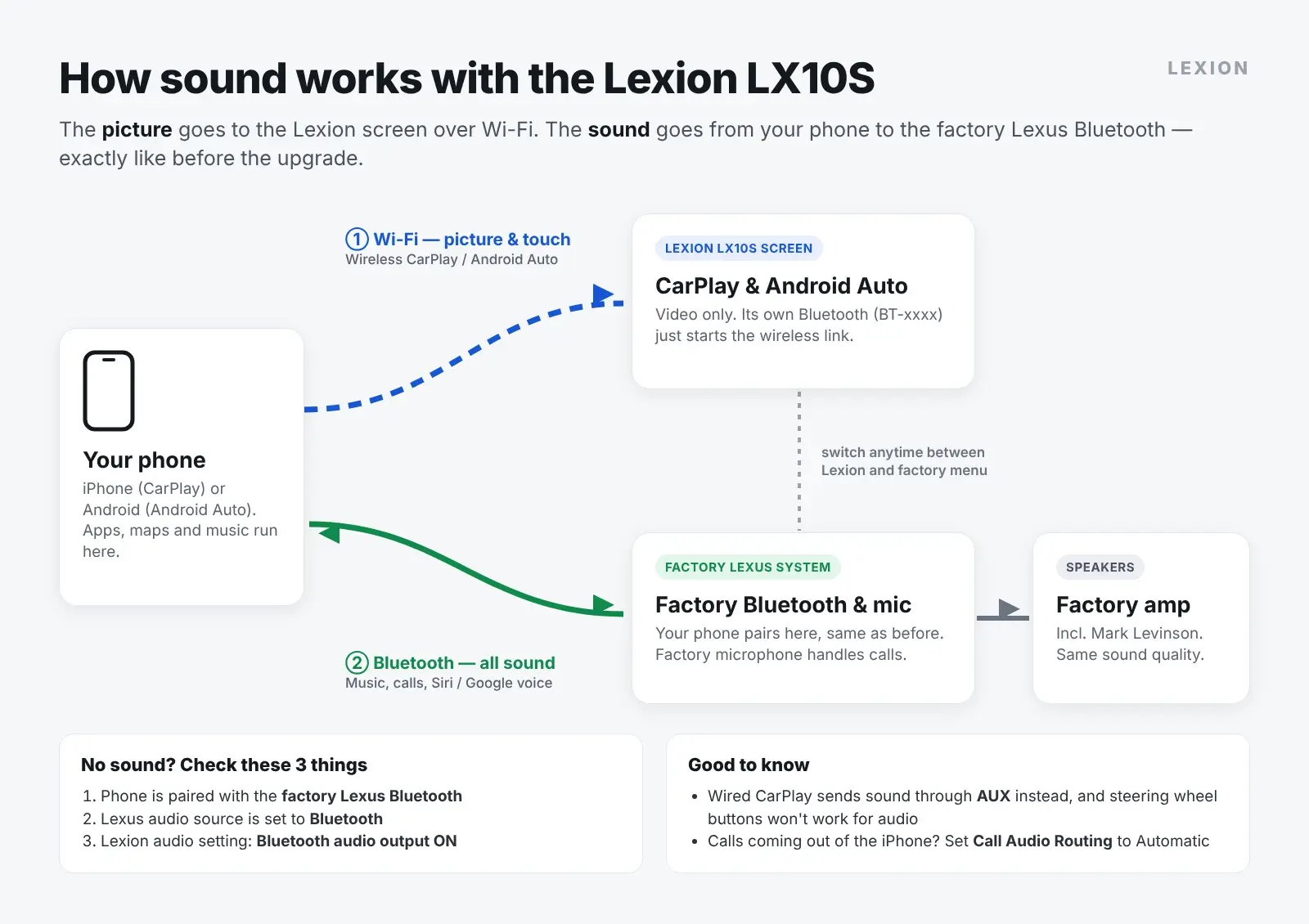
The question we answer most on WhatsApp after installation is some version of: “CarPlay works on the screen, but where does the sound come from?” Here is the short answer in one picture.
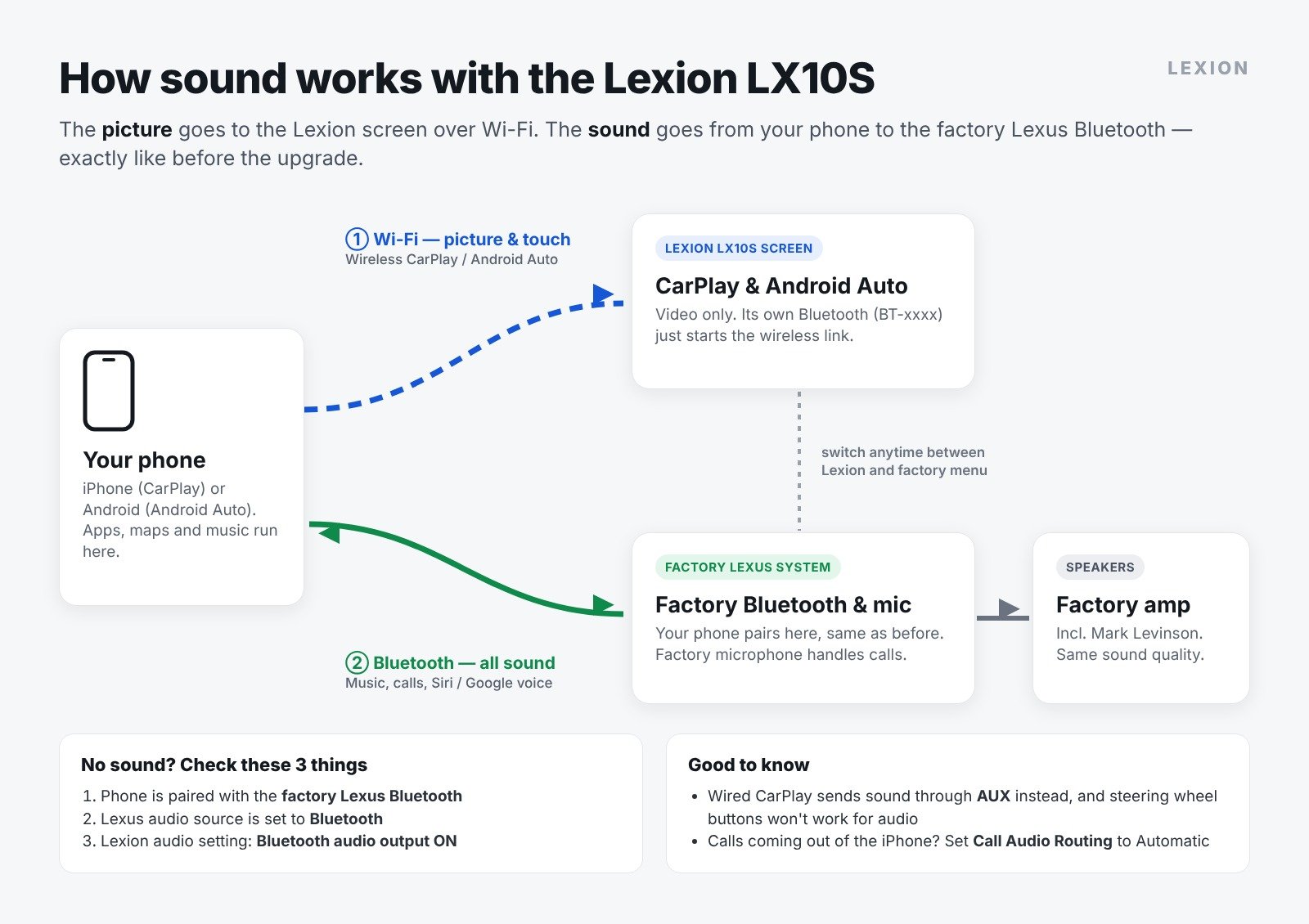
Two separate connections
- Picture (Wi-Fi): wireless CarPlay or Android Auto goes from your phone to the Lexion LX10S screen. The screen shows maps, music apps and messages, and handles touch.
- Sound (Bluetooth): your phone stays paired with the factory Lexus Bluetooth, just like before the upgrade. Music, navigation voice, calls and Siri / Google voice all play through the factory system, factory amp and speakers — including Mark Levinson.
The Lexion screen also has its own Bluetooth name (BT-xxxx). It is only used to start the wireless CarPlay connection. It never carries sound, so don’t worry if it shows as connected without audio.
Why it is built this way
- Your factory sound system, steering wheel buttons and factory microphone keep working exactly as Lexus designed them.
- No extra amplifier, AUX wiring or external mic is needed.
- You can switch back to the factory Lexus menu at any time — the audio connection doesn’t change.
No sound? Check these three things
- Pair your phone with the factory Lexus Bluetooth (Lexus Setup › Bluetooth).
- Set the Lexus audio source to Bluetooth.
- In the Lexion audio settings, make sure Bluetooth audio output is ON.
Calls coming out of your iPhone instead of the car? On the iPhone go to Settings › Accessibility › Touch › Call Audio Routing and choose Automatic.
Using wired CarPlay instead? Then the sound goes through the Lexus AUX input, and the steering wheel audio buttons won’t control it. That’s why we recommend wireless.
More fixes: LX10S Troubleshooting Guide – sound & calls. Still stuck? Send your model, software version (Lexion Settings › General) and a short video to WhatsApp.